
The below steps will show you how to hide inactive students from your Infinite Campus Gradebook.
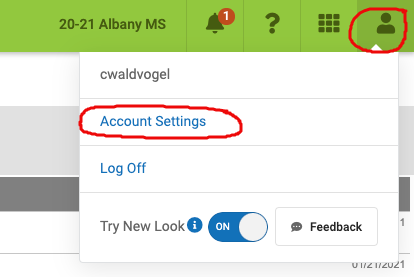
1. Click on the person icon in the top right and then click on Account Settings
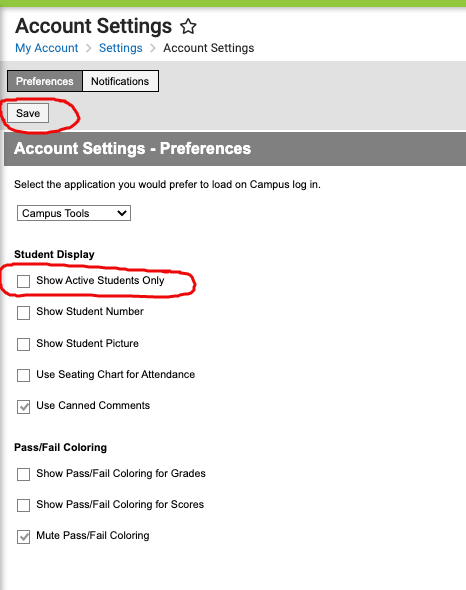
2. Check the box next to Show Active Students Only and click Save
3. Now, only active students will show in your Gradebook
Comments
0 comments
Article is closed for comments.