
This article will show staff how to add Adaptive Learning Products to their HMH class.
- Sign in to Think Central
- Click Manage Classes
- In the My Classes area, select the class to be edited, and then click the Edit Class... button. The Edit Class page appears
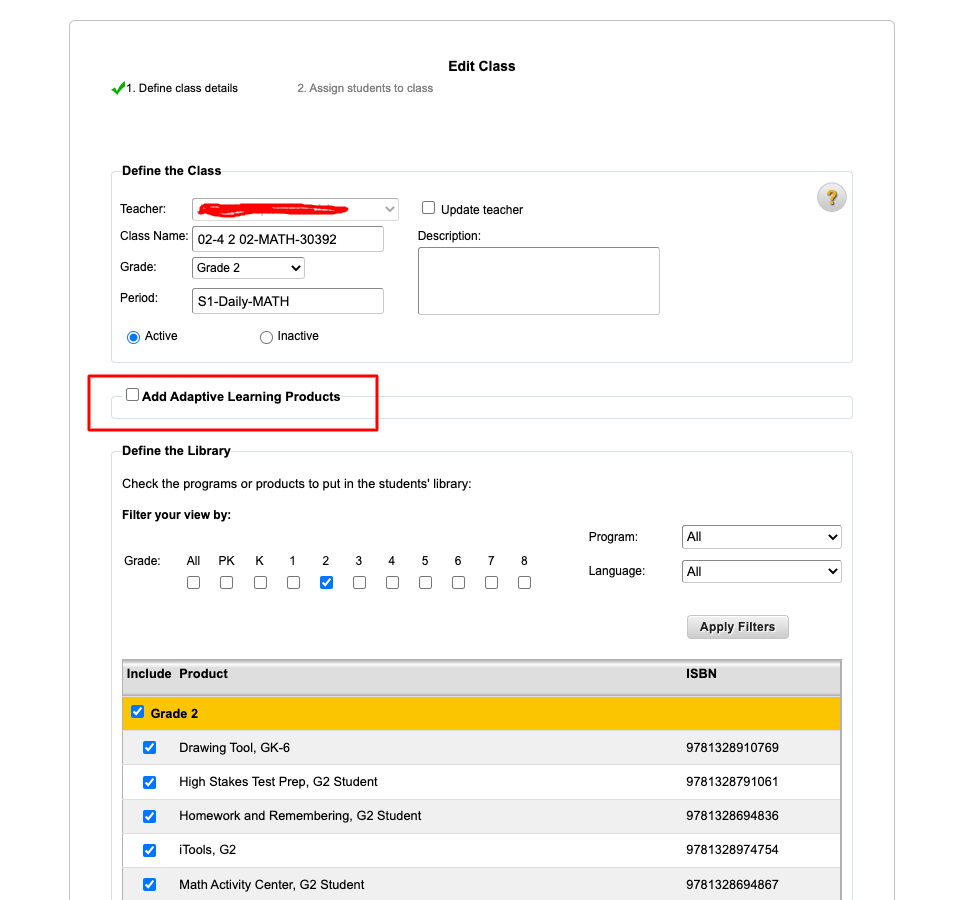
- Check the box for Add Adaptive Learning Products
- Click the check box to add or remove Personal Math Trainer (PMT) products for the class.
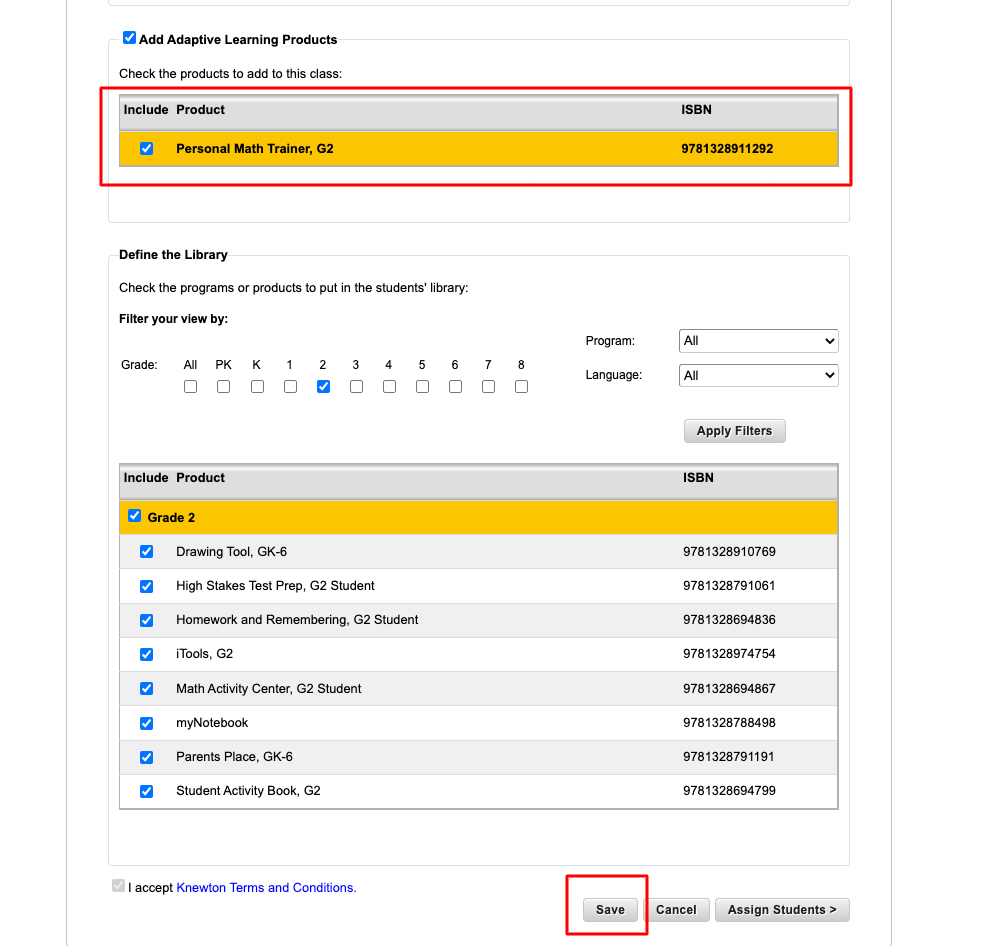
- Click Save
Comments
0 comments
Article is closed for comments.